Use this
- One person in the photo
- Near-front-facing angle
- A large, clear area of visible hair
- Even light and a sharp image
Try a new hair color online while keeping your hairstyle. No sign-up required.
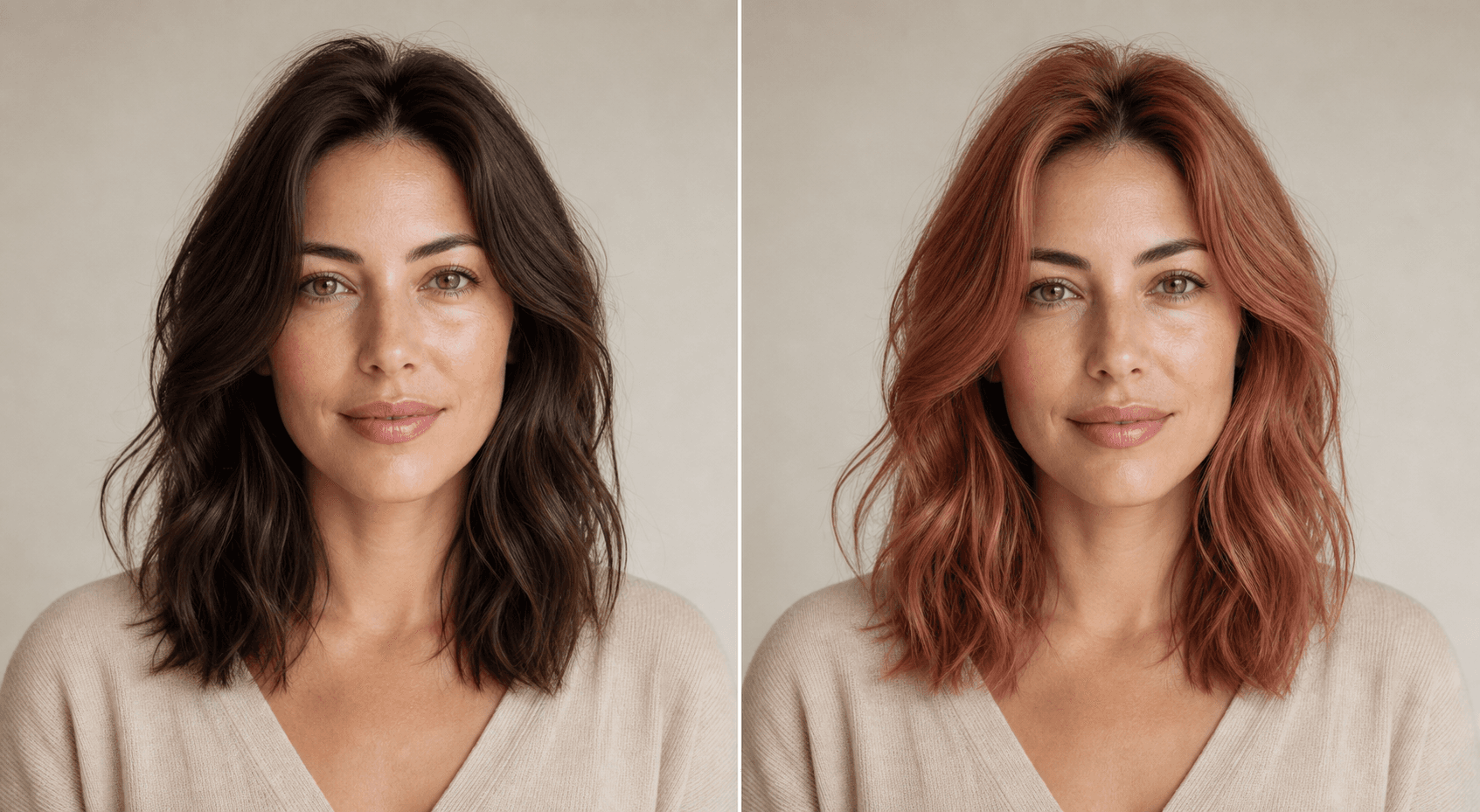 BeforeRose copper
Use one clear photo with enough visible hair for a useful preview.
All 24 shades · scroll inside to browse
AI approximates this target shade while keeping natural highlights and shadows.
Five successful previews per day. Failed or rejected attempts do not count.
We verify the file and check that it fits the photo requirements.
Browse all 24 presets together, or open the visual picker and enter a six-digit HEX target. No free-text prompt is sent to the model.
Compare the result, save it if useful, or delete the task immediately.
Private routesInput and result files require the same anonymous session that created them.
Short retentionFiles are scheduled for automatic deletion within 24 hours.
You stay in controlUse Delete now on the result to remove the task and its files immediately.
The generation instruction targets only the color of visible hair.
Hairstyle, hairline, face, skin tone, clothing, and background should stay unchanged.
Lighting, hair condition, dye, and technique affect real-world color. Use this as a visual idea.
Yes. Open Custom color to use the visual picker or enter a six-digit HEX value. The AI treats it as a target shade and preserves natural highlights and shadows, so the result is an approximation rather than an exact dye formula.
The edit is instructed to keep your hairstyle, length, texture, hairline, face, skin tone, clothing, and background. AI results can still vary, so review the image before using it.
Use one clear, near-front-facing photo of one person with a large enough area of visible hair to show a useful color change. Normal portrait cropping is fine. Hats, headscarves, and hoods are allowed when plenty of hair remains visible; only visible hair is recolored.
Upload a JPEG, PNG, or WebP image up to 10 MiB. Each side must be between 512 and 4096 pixels, with no more than 20 megapixels total.
The MVP includes five successful previews per day for each anonymous browser session. Rejected inputs and failed generations do not use the allowance.
Input and result files are scheduled for deletion within 24 hours. You can also delete the current task immediately from the result screen.
No. It is a visual preview, not a dye formula, professional color consultation, or guarantee of an exact real-world result.